Google Font Finder: Identify Fonts From Any Image

Google font finder that identifies fonts from images instantly. Upload screenshots, logos, or designs and discover matching fonts fast.
A Google font finder helps you identify fonts from images, screenshots, logos, or websites by analyzing letter shapes and typography patterns. Instead of manually guessing typefaces, tools like Find Font AI let users upload an image and instantly discover visually similar fonts in seconds.
There is a strange kind of frustration that only typography can create.
You see a font once, maybe on a YouTube thumbnail, a café menu, a startup logo, or an Instagram carousel, and suddenly your brain refuses to move on until you know what it is. The letters sit there like a song lyric you almost remember. Familiar. Unreachable.
At first, most people try the obvious route. They zoom in. Search “clean Google font.” Scroll endlessly through font libraries. Open twenty tabs. Compare lowercase “a” shapes like detectives studying fingerprints.
And somewhere in the middle of all that, it becomes clear: finding a font manually is weirdly exhausting.
That is where a modern Google font finder changes the entire experience. Instead of turning typography into a guessing game, image-based font recognition lets you upload a screenshot and immediately narrow the possibilities down to usable, visually similar fonts.
The interesting part is not just speed. It is emotional relief.
Because creative work already has enough friction. Fonts should not be another wall.
What Is a Google Font Finder?
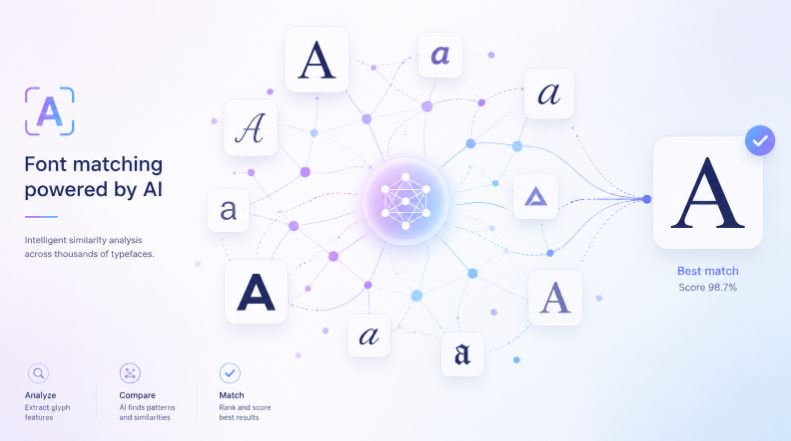
A Google font finder is a tool that helps users identify fonts visually, often through image uploads or typography analysis. The goal is simple: you upload a screenshot, logo, poster, or graphic, and the system detects the closest matching font styles.
But the reality underneath is more complex.
Fonts are not just text. They are personality compressed into shapes.
A rounded sans-serif feels approachable. A geometric typeface feels futuristic. Serif fonts can feel academic, luxurious, or quietly authoritative depending on spacing and contrast.
That means identifying fonts is less like searching for files and more like recognizing visual DNA.
According to Find Font AI, modern font recognition systems analyze character structure, spacing, curves, stroke widths, and letter relationships to match uploaded typography with similar fonts quickly.
That matters because people rarely search for fonts in perfect conditions.
Sometimes the image is blurry.
Sometimes the text is warped.
Sometimes only three letters are visible.
And yet users still expect answers instantly.
Why People Search for a Google Font Finder
The deeper you look, the more fascinating this becomes. Most users are not actually searching for “fonts.” They are searching for continuity.
They want their design to feel like the thing that inspired them.
Designers Want Speed Without Losing Precision
Graphic designers often work under impossible timelines. A client sends a screenshot and asks:
“Can we make ours look like this?”
Now the designer has two choices:
- Spend an hour manually hunting fonts
- Use image-based recognition to identify matches quickly
The second option changes momentum entirely.
Creative flow is fragile. Every interruption costs energy.
Content Creators Need Visual Consistency
YouTubers, TikTok editors, and social media creators obsess over typography more than most people realize.
One font can make a thumbnail look premium. Another can make it look outdated instantly.
A Google font finder helps creators reverse-engineer styles they admire without spending entire evenings scrolling through font collections.
And honestly, that changes confidence too.
Because when creators find the right font, the whole project suddenly feels “real.”
Developers and Startup Founders Want Brand Clarity
Startups often begin with visual confusion.
One landing page uses Montserrat. Another uses Inter. A third uses random system fonts because nobody decided anything early enough.
A font finder helps founders identify clean, modern typography styles they encounter online and recreate consistent branding faster.
Typography quietly shapes trust.
People notice it less consciously than colors or logos. But they feel it immediately.
How Image-Based Font Detection Actually Works
This part surprised me when I first explored it deeply.
Most people imagine font recognition as simple matching. But modern systems operate more like visual pattern analysis engines.
Step 1: The Tool Detects Text Areas
When you upload an image, the system first isolates typography from the background.
That sounds simple until you remember how messy real-world images are.
Text might overlap shadows.
Letters may curve around logos.
Screenshots can be compressed beyond recognition.
A strong Google font finder has to separate typography from noise first.
Step 2: Character Shapes Are Analyzed
Once the text is isolated, the system studies structural details like:
- Serif shapes
- Letter spacing
- X-height
- Curvature
- Stroke contrast
- Terminal endings
Tiny details matter.
The tail of a lowercase “Q” can eliminate hundreds of possible font matches instantly.
Step 3: Similar Fonts Are Ranked
Perfect identification is not always possible. And honestly, pretending otherwise would feel dishonest.
Sometimes the original font is custom-made.
Sometimes the image quality destroys critical details.
So modern tools prioritize practical usefulness instead of fake certainty.
That means showing highly similar fonts users can actually use.
And in many cases, that is even better than finding the exact original.
Why Manual Font Searching Usually Fails
People underestimate how enormous typography libraries have become.
Google Fonts alone contains hundreds of families. Add commercial type foundries, custom branding fonts, variable fonts, and niche experimental typography, and the search space becomes overwhelming fast.
Manual searching creates three problems:
Visual Fatigue
After twenty minutes, every sans-serif begins looking identical.
Your brain stops noticing distinctions.
Typography Vocabulary Gaps
Most users do not know terms like:
- Humanist sans
- Geometric grotesk
- Transitional serif
- Neo-grotesque
So describing fonts verbally becomes frustrating quickly.
False Confidence
This is surprisingly common.
People often identify a font incorrectly because it feels “close enough,” only to discover subtle differences later that break design consistency completely.
A Google font finder reduces that uncertainty dramatically.
The Psychology Behind Font Recognition
This part rarely gets discussed, but it matters.
Humans attach emotion to typography constantly.
We trust some fonts instantly. Others feel suspicious or outdated within milliseconds.
A bold condensed font can feel energetic.
Wide serif typography can feel luxurious.
Rounded fonts often feel safer and friendlier.
According to typography research from the Interaction Design Foundation, typefaces influence readability, emotional perception, and brand trust more deeply than many visual elements.
That explains why font identification matters so much emotionally.
People are not just chasing aesthetics.
They are chasing feeling.
Why AI Changes the Entire Font Discovery Process
Older font recognition systems often felt mechanical.
Upload image. Receive inaccurate guesses. Repeat.
AI-driven analysis changes the experience because it handles ambiguity better.
Instead of requiring perfect inputs, modern systems can recognize partial shapes, distorted characters, and imperfect screenshots more intelligently.
That matters in real-world usage because nobody uploads ideal typography samples consistently.
Sometimes users upload:
- Cropped Instagram stories
- Low-resolution logos
- Motion-blurred screenshots
- Old scanned posters
- Text layered over gradients
A flexible AI-powered Google font finder adapts to messy conditions instead of expecting laboratory perfection.
Common Situations Where People Use a Google Font Finder
Finding Fonts From Logos
Brand typography creates immediate recognition.
People often discover fonts through startup logos, product packaging, or fashion branding and want visually similar alternatives for their own projects.
Matching Fonts From Websites
Web designers constantly encounter typography they admire online.
Instead of inspecting CSS manually or guessing, image upload tools simplify discovery dramatically.
Recreating Vintage Designs
Old magazine covers, posters, and album artwork often contain difficult-to-identify fonts.
A Google font finder can narrow the search process substantially, even with aged or imperfect imagery.
Social Media Branding
Influencers and creators increasingly build recognizable typography styles across platforms.
Consistent fonts make content feel intentional.
And intentional design builds trust faster than most people realize.
Google Font Finder vs Manual Font Browsing
| Approach | Speed | Accuracy | User Effort | Best For |
| Manual Font Browsing | Slow | Medium | High | Experienced typographers |
| CSS Inspection | Medium | High | Medium | Developers |
| Image-Based Font Finder | Fast | High | Low | Most users |
| AI Font Recognition | Very Fast | Very High | Very Low | Designers & creators |
The interesting contradiction here is that experienced designers sometimes resist AI tools initially.
Not because they dislike efficiency.
But because typography historically required trained visual instincts. Automated recognition almost feels like skipping apprenticeship.
Yet the reality is simpler: tools do not replace taste. They remove friction.
And those are different things entirely.
What Makes a Good Google Font Finder?
Not all font recognition systems feel useful in practice.
Some prioritize technical matching but overwhelm users with unusable results. Others oversimplify typography until recommendations become generic.
The best tools balance speed, usability, and visual relevance.
Fast Upload Processing
Nobody wants to wait two minutes to identify a font from a screenshot.
Fast recognition keeps creative momentum alive.
Similar Font Suggestions
Exact matches are great. Similar alternatives are often more valuable.
Especially when users need accessible, web-friendly fonts quickly.
Clean User Experience
This sounds minor until you use cluttered tools repeatedly.
A good font finder should feel invisible.
Upload. Analyze. Discover. Done.
Mobile Compatibility
Many users now discover fonts directly from social apps on phones.
Mobile-friendly font recognition is no longer optional.
It is foundational.
The Hidden Problem With Typography Inspiration
Here is something people rarely admit openly:
Most creative inspiration starts as imitation.
A designer sees a beautiful font pairing. A creator notices an elegant headline style. A founder admires a landing page typography system.
That initial spark matters.
But without efficient font discovery, inspiration becomes friction instead of momentum.
A Google font finder closes that gap between seeing and creating.
And honestly, that emotional transition is what makes these tools valuable.
Because excitement disappears quickly when searching becomes exhausting.
Why Find Font AI Approaches This Differently
Find Font AI focuses on simplifying the most frustrating part of font discovery: uncertainty.
Instead of forcing users into endless font directories, the platform centers around image uploads and rapid visual matching.
The experience feels less like database searching and more like visual problem solving.
That distinction matters.
According to Find Font AI Blog, users increasingly prefer upload-first workflows because they reduce the technical barrier to typography discovery.
And honestly, that aligns with how people naturally think.
Most users do not know font names.
They know what they saw.
They know how it felt.
The tool bridges that gap directly.
Mistakes People Make When Trying to Identify Fonts
Uploading Extremely Low-Quality Images
Blurry screenshots remove critical details.
Whenever possible, crop tightly and upload clearer typography samples.
Ignoring Letter Variety
A single letter is rarely enough.
More characters improve recognition accuracy significantly.
Expecting Exact Matches Every Time
Some fonts are custom-built or heavily modified.
Similar matches are often the smartest practical solution.
Overlooking Spacing and Weight
Typography is not only about letterforms.
Weight, kerning, and spacing influence perception dramatically.
The Future of Font Discovery
Typography search is evolving toward something more intuitive.
Instead of manually filtering categories, future systems will likely understand emotional intent directly.
Imagine searching:
- “Fonts that feel cinematic”
- “Typography similar to luxury skincare brands”
- “Playful but premium startup fonts”
That future feels close already.
AI systems increasingly interpret aesthetics semantically, not just structurally.
And honestly, that changes design accessibility forever.
Because typography expertise no longer belongs exclusively to specialists.
FAQ About Google Font Finder
What is a Google font finder?
A Google font finder is a tool that helps users identify fonts from images, screenshots, logos, or graphics using visual analysis and typography matching.
Can I find fonts by uploading an image?
Yes. Tools like Find Font AI allow users to upload images and discover matching or similar fonts instantly.
Are font finder results always exact?
Not always. Some fonts are custom-made or modified. Most modern tools provide visually similar alternatives when exact matches are unavailable.
Why do designers use font recognition tools?
Designers use them to save time, maintain branding consistency, identify typography inspiration, and speed up creative workflows.
Can font finders recognize handwritten fonts?
Some advanced systems can detect handwritten or stylized typography, though accuracy depends heavily on image clarity and character visibility.
Key Takings
- A Google font finder helps users identify typography from screenshots, logos, and images quickly.
- Image-based font recognition removes the frustration of manual searching.
- Typography influences trust, emotion, and visual identity more deeply than most users realize.
- AI-powered font analysis works by studying character structure, spacing, and visual patterns.
- Similar font recommendations are often more practical than exact matches.
- Find Font AI simplifies font discovery through fast image uploads and visual matching.
- The future of font discovery is shifting toward emotionally intelligent and intent-based typography search.